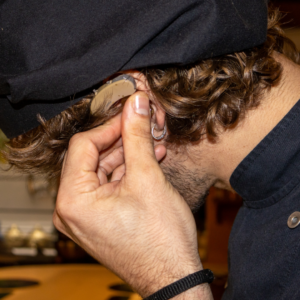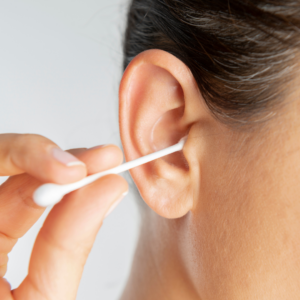

Sharp whistling sounds produced by a hearing aid often occur unexpectedly, creating profound frustration and distraction when ignored. Our practice can identify whether the sound comes from the fit, earwax, device settings, worn parts, or a technical problem. Explore why acoustic feedback occurs and which safe home inspections can rectify minor whistling before you require formal clinical assistance.
What Triggers Hearing Aid Whistling?
Squealing or whistling from an amplification device typically represents acoustic feedback. The hearing aid microphone captures ambient sound, internal circuitry amplifies the acoustic waveform, and the receiver delivers it down the canal. If boosted audio leaks past the earpiece back to the external microphone, the system reamplifies the sound loop, generating a sharp whistle.
A brief whistle may occur while inserting the device or when a hand, hat, phone, or hug changes the sound path. Advanced digital hearing devices incorporate automated feedback-suppression circuits, yet they cannot eliminate every transient flare-up.
Persistent whistling during routine daily activities signals that sound is leaking excessively, bouncing off an obstruction, or feeding into the microphone. The mechanical or clinical cause must be identified and corrected rather than resigning yourself to the noise or keeping the volume artificially low.
Clinical and Mechanical Triggers for Hearing Aid Feedback
Anything that alters the anatomical seal, blocks audio output, over-amplifies sound, or physically impairs device components can spark feedback. Feedback issues often evolve slowly across extended use, even when your hearing aid performed flawlessly in the past.
Primary sources of device feedback include:
- A dome, custom mold, or in-the-ear hearing aid that is seated partially outside the canal
- An earpiece that sits loosely because of progressive anatomical changes in the ear canal
- Deep cerumen blockage inside the canal reflecting amplified acoustic signals
- Wax buildup obstructing the receiver spout, acoustic vent canal, wax guard, or sound bore
- Increasing volume controls past the maximum feedback limit of the device fitting
- Physical deterioration such as torn domes or hardened, shrunk, and cracked acoustic tubing
- Condensation, corrosion, or mechanical damage involving the internal microphone or receiver
- Shifts in patient hearing thresholds requiring updated prescription gain or a tighter acoustic seal
Mandibular action during normal eating, smiling, or conversation easily compromises an imperfect earpiece seal.
We can thoroughly inspect your ear canal and assess instrument hardware whenever the feedback source is ambiguous.
Hearing Aid Whistle Vs. Tinnitus: What’s the Difference?
Hearing aid feedback is an external, physical acoustic event generated by the device. It generally appears only while the hearing aid is on and may change when you adjust the volume, reseat the earpiece, move an object away, or turn the device off. Conversely, tinnitus represents the internal perception of acoustic sensation without any external acoustic stimulus. Tinnitus sensations can sound like ringing, high-pitched buzzing, white-noise hissing, clicking, or roaring in one or both ears. Removing the hearing aid from your ear canal does not stop tinnitus sounds. Accurately targeted hearing aid amplification frequently masks tinnitus, rendering it much less noticeable throughout daily life.
How to Troubleshoot Hearing Aid Feedback at Home
Start with simple external inspections that avoid disassembling the casing or inserting cleaning instruments deep into your canal. Handle the hearing aid with clean, dry hands directly over a soft cloth to avoid accidental impact trauma.
Proceed through these systematic checks:
- Take out the device and ensure the right or left color marker matches the ear you are treating.
- Visually examine the silicone dome, custom earmold, acoustic tubing, and receiver port for cerumen, cracks, or mechanical separation.
- Clean the earpiece and microphone ports utilizing the custom cleaning tools and manufacturer instructions provided at your fitting.
- Change the cerumen guard or silicone tip only after verifying you understand the safe installation steps.
- Fully seat the earpiece into the canal and confirm that the receiver wire or tubing aligns smoothly along your ear contour.
- Restore the manual or app-based volume control to its programmed default level.
- Shift hats, hair, telephone screens, and head coverings away from the sensitive microphone openings.
- Turn the device off and on again, ensuring the battery is fresh or holds a full charge.
Refrain from applying water, chemical solvents, toothpicks, or metal needles to device openings unless authorized by manufacturer documentation.
How Do I Know If My Hearing Aid Is Broken, or If It’s User Error?
Squealing that ceases once you reseat the mold, replace a wax guard, lower the gain, or clear a phone away indicates user-level issues. A powered hearing aid will routinely whistle when held in the open air or cupped hand because there is no physical canal seal to absorb the audio. Component failure is likely when feedback endures even after confirming deep insertion, spotless sound ports, baseline volume, and an airtight fit. Supplementary symptoms of hardware failure feature fuzzy audio, static, sporadic sound cutoffs, faint output, failed push-buttons, charging failures, or visible case cracking. Compromised acoustic tubing, damaged external receivers, degraded microphone elements, or fractured internal transducers necessitate professional clinical service.
If you utilize a bilateral fitting, compare the whistling device to the stable one for physical discrepancies, while taking care not to switch left and right ears. We can run performance tests and determine whether cleaning, programming, replacement parts, or manufacturer repair is appropriate.
Warning Signs That Your Hearing Aid Earpiece Fits Incorrectly
A correctly fitted device should stay firmly anchored without generating continuous pressure, friction, or pain. An improper anatomical fit allows amplified sound energy to escape past the ear canal, especially during speech, chewing, or energetic jaw movements.
Symptoms of an ill-fitting hearing aid include:
- Frequent whistling during normal use
- A custom earmold or silicone dome that continually migrates out of the ear canal
- A receiver wire that bulges outward from the temple instead of resting flush along the facial skin
- An earpiece that dislodges whenever you smile, chew food, or engage in conversation
- Soreness, redness, rubbing, or pressure points
- A blocked or plugged sensation that does not improve
- Sound output that stabilizes or changes volume only when you press the mold further inside
Ear canal cartilage naturally shifts across the lifespan, and silicone domes, PVC tubing, and earmold shells undergo continuous wear. Physical adjustments can encompass trying an alternate dome profile, changing the receiver length, pulling fresh acoustic tubing, recasting an earmold, or adjusting programming.
Schedule a Hearing Aid Check
Dealing with ongoing feedback does not signify that you must replace your current hearing aids. Arrange a clinical consultation with our providers for a complete evaluation of your ears, hearing levels, device retention, and acoustic performance. We can confirm whether your devices require clinical earwax removal, modified prescription programming, fresh sound tubing or domes, a newly fitted earmold, or manufacturer repairs.
Reach out to our clinical office to schedule your hearing aid check.